TL;DR
Open a free Amazon Business account
Business pricing, bulk buying and tax-exempt orders.
Create a free accountAs an affiliate, we earn on qualifying purchases.
A webcam blink-rate tracking app is being tested as a tool for remote workers to reduce eye strain. It estimates blink frequency and prompts breaks, aiming to improve eye comfort during prolonged screen use.
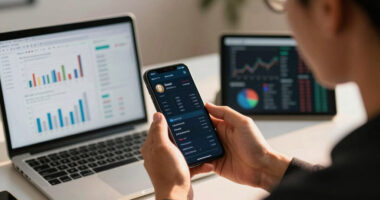
A new webcam-based application designed to monitor blink rate and encourage regular breaks is being tested as a potential solution for remote workers experiencing digital eye strain. This development targets individuals who spend more than eight hours daily on laptops and aims to provide objective signals for eye health management, leveraging on-device computer vision technology.
The proposed webcam app is intended for remote knowledge workers who often suffer from dry, tired eyes, headaches, and discomfort due to prolonged screen exposure. It uses on-device computer vision to estimate blink rate and screen distance without transmitting video data externally, addressing privacy concerns. The app would log daily eye comfort scores and prompt users to take a 20-20-20 break—looking 20 feet away for 20 seconds—when blink frequency drops below a healthy threshold.
According to IdeaNavigator AI, the initial plan involves a two-week pilot with twenty remote workers, tracking whether the tool improves self-reported eye comfort and adherence to breaks. The business model centers on per-seat subscriptions sold to individuals and small remote teams, with the goal of validating whether this intervention effectively reduces digital eye strain.
Potential Impact on Remote Work Eye Health
This development could offer a practical, objective method for remote workers to manage digital eye strain, a common issue exacerbated by increased screen time during remote and hybrid work arrangements. If successful, the app could lead to widespread adoption of screen wellness tools, reducing eye discomfort, headaches, and productivity loss associated with digital eye strain. It also demonstrates how on-device computer vision can be applied for health-related monitoring without privacy risks, potentially opening new markets for digital health solutions.
As an affiliate, we earn on qualifying purchases.
Rising Screen Time and Eye Health Concerns
Remote work has significantly increased daily screen exposure for knowledge workers, intensifying issues related to digital eye strain. Traditionally, workers only notice symptoms after discomfort becomes severe, due to the lack of objective monitoring tools. Recent advances in webcam and computer vision technology now make it feasible to estimate blink rate and screen distance directly on devices, providing real-time feedback and prompting healthier screen habits. This approach aligns with ongoing efforts to improve digital wellness and reduce health-related productivity losses.
“Using on-device computer vision to monitor blink rate offers a privacy-conscious way to help remote workers maintain eye health.”
— an anonymous researcher
As an affiliate, we earn on qualifying purchases.
Uncertainties in Effectiveness and Adoption
It is not yet confirmed whether the pilot will demonstrate significant improvements in eye comfort or break adherence. The long-term effectiveness of automated prompts and logging remains to be seen, and user acceptance of the app is still uncertain. Additionally, the scalability and integration into existing remote work routines are still under evaluation, with results pending from ongoing testing.
screen wellness monitor for remote work
As an affiliate, we earn on qualifying purchases.
As an affiliate, we earn on qualifying purchases.
Next Steps in Validation and Deployment
The immediate next step is completing the two-week pilot with twenty remote workers to assess the app’s impact on eye comfort and break adherence. Based on pilot results, developers may refine the app and consider broader testing or commercialization. Further research may also explore integrating additional health metrics or expanding the solution to larger organizations and diverse user groups.
As an affiliate, we earn on qualifying purchases.
Key Questions
How does the webcam blink-rate tracker work?
The app uses on-device computer vision to estimate blink rate and screen distance, prompting breaks when blink frequency drops below healthy levels, without transmitting video data externally.
Will this app be available for general use?
The app is currently in a pilot testing phase with a small group of remote workers. Broader availability depends on pilot outcomes and further development.
Can this technology fully prevent digital eye strain?
While it aims to reduce symptoms by encouraging regular breaks, it is not a guaranteed prevention. Proper eye health also involves other practices, such as screen positioning and lighting.
Is user privacy protected with this webcam app?
Yes, the app performs all processing on the device itself, avoiding transmission of video data externally, addressing privacy concerns.
How effective are blink-based break prompts?
Effectiveness is still being evaluated through pilot testing, with potential to improve adherence to recommended eye health practices if successful.
Source: IdeaNavigator AI
Flea & tick season Picks
flea and tick prevention
As an affiliate, we earn on qualifying purchases.