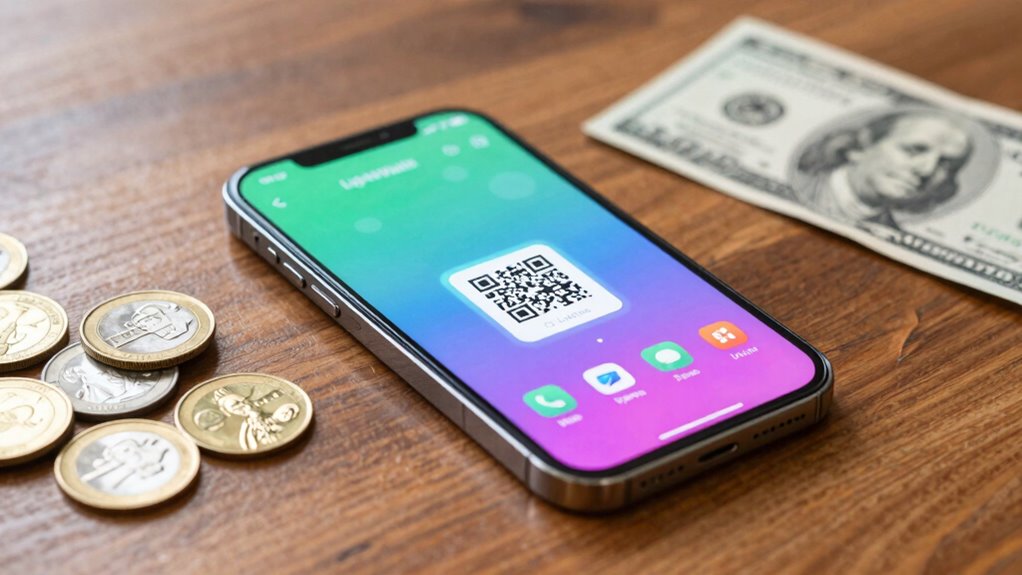

To set up a Lightning wallet for daily payments, pick a reputable mobile or desktop wallet suited to your needs, download it from official sources, and create a new account. Generate a secure seed phrase and back it up carefully—never share it. Fund your wallet by transferring Bitcoin on-chain and open payment channels with trusted peers or merchants. Keep your software updated and follow security best practices. If you’re curious about optimizing your setup, there’s more to explore below.
Key Takeaways
- Choose a reputable Lightning wallet compatible with your device and download from official sources.
- Create a new wallet and securely back up your seed phrase for recovery.
- Fund your Lightning wallet with Bitcoin by transferring from an exchange or main wallet.
- Open payment channels with trusted peers to enable instant, low-fee transactions.
- Keep your wallet software updated and securely manage your seed phrase for ongoing safety.

Have you ever wondered how to quickly and securely send Bitcoin without waiting for slow confirmations? Setting up a Lightning wallet is the answer. The Lightning Network is designed for fast, low-cost transactions, making it ideal for small daily payments. But before diving in, it’s essential to understand how to keep your cryptocurrency security intact. A well-setup Lightning wallet ensures your funds stay safe while you enjoy the convenience of near-instant payments.
Using a Lightning wallet enables fast, secure Bitcoin payments for everyday transactions.
First, choose a reputable Lightning wallet that fits your needs. Many options are available, from mobile apps to desktop clients, each with different features and security protocols. Once you’ve selected one, download it from an official source, and make sure to verify its authenticity. Setting up your wallet typically involves creating a new account or wallet, generating a secure seed phrase, and backing it up safely. This seed phrase is your master key—never share it, and store it in a secure location. Proper seed management is crucial for maintaining cryptocurrency security, especially if you plan to use your wallet regularly. Understanding cryptocurrency security best practices can help you better protect your funds.
Next, you’ll need to fund your wallet with Bitcoin. Transfer Bitcoin from your main wallet or exchange account into your Lightning wallet’s on-chain address. This step might involve some initial on-chain transaction, but once your wallet is funded, you can open payment channels with friends or merchants. Opening channels is straightforward but requires a small on-chain fee—be mindful of lightning network fees, which are generally low but can vary depending on network congestion. These fees are minimal compared to traditional transaction costs, making Lightning ideal for small payments. Additionally, understanding content formats can help you better grasp how to manage and optimize your Lightning transactions.
Being aware of network congestion can also help you choose the best times to make transactions, ensuring minimal fees and faster confirmation times. It’s also beneficial to understand how derating (altitude/temp) impacts your hardware’s performance if you’re running a node or managing your setup in different environments. Moreover, staying informed about node configuration can enhance your ability to troubleshoot and improve your Lightning Network experience. After setting up channels, you can start making instant payments. When you send Bitcoin through the Lightning Network, your funds move via these channels, ensuring fast and cheap transactions. To maximize security, always keep your wallet’s software up to date and consider using multi-signature options if available. This extra layer of security helps prevent unauthorized access or potential theft, maintaining your cryptocurrency security even when making frequent small payments.
Using your Lightning wallet regularly will help you get comfortable with its features and limitations. Over time, you’ll appreciate how it eliminates the wait associated with traditional Bitcoin transactions. Remember, the key to a successful setup is balancing ease of use with security. By managing your seed phrase carefully, staying updated on your wallet’s software, and understanding the lightning network fees, you’ll be well-equipped to handle small daily payments confidently and securely. With the right setup, sending Bitcoin becomes seamless, fast, and cost-effective—perfect for everyday use.

Mastering the Lightning Network: A Second Layer Blockchain Protocol for Instant Bitcoin Payments
As an affiliate, we earn on qualifying purchases.
As an affiliate, we earn on qualifying purchases.
Frequently Asked Questions
Can I Use a Lightning Wallet on Multiple Devices Simultaneously?
You can’t usually use a Lightning wallet on multiple devices simultaneously due to wallet sharing limitations and security concerns. Most wallets don’t support multi-device synchronization, making it risky to share your seed phrase across devices. If you want to access your funds on different devices, consider using wallets that support multi-device functionality or look into secure ways of syncing your wallet, but always prioritize security to protect your funds.
How Do I Recover My Wallet if I Lose My Device?
Losing your device is like misplacing your treasure map. To recover your wallet, you need your backup seed phrase, your key to the kingdom. When you get a new device, simply input the seed phrase to restore your wallet. Make sure your seed phrase is secure and stored offline. This process synchronizes your wallet across devices, ensuring you never lose access to your funds, no matter what happens to your original device.
Are Lightning Wallets Compatible With All Bitcoin Wallets?
Lightning wallets are not compatible with all Bitcoin wallets. They specifically work with wallets supporting the Lightning network, which is a second-layer solution built on top of Bitcoin. If your Bitcoin wallet doesn’t support Lightning network features, you won’t be able to use it directly for small daily payments through a Lightning wallet. Always check for Bitcoin compatibility and Lightning network support before choosing a wallet for quick, small transactions.
What Security Measures Should I Take for Small Daily Payments?
You should play it safe with small daily payments by prioritizing payment privacy and wallet backup. Use a strong, unique password to protect your wallet and enable two-factor authentication if available. Regularly back up your wallet seed phrase in a secure location, so you don’t lose access. Be cautious with third-party apps, and keep your software updated to stay one step ahead of potential threats. Think of it as locking your doors before leaving.
How Do I Update or Upgrade My Lightning Wallet Software?
To update or upgrade your Lightning wallet software, first check for the latest version from the wallet provider’s website or app store. Download and install the update, then verify your wallet is synchronized with the Lightning network. This synchronization keeps your transaction data current and secure. Regular updates improve security and functionality, so make it a habit to keep your wallet software up-to-date for seamless small daily payments.
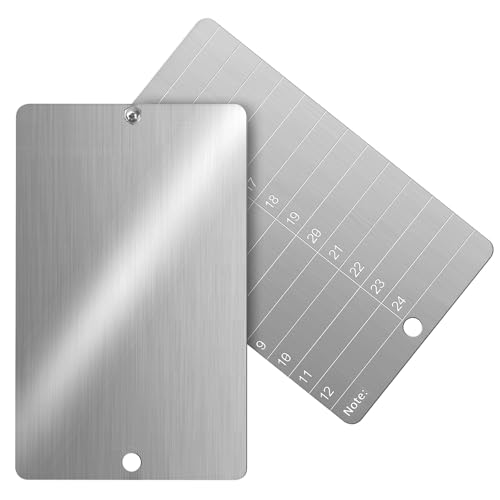
Codesteel Steel Crypto Seed Phrase Storage, Metal Seed Bitcoin Phrase Plate for Hardware Cold Backup, 2 Plates and Security Seals
Ultra-Durable 304 stainless steel: made from premium stainless steel, resistant to fire, water, and rust. it ensures long-term…
As an affiliate, we earn on qualifying purchases.
As an affiliate, we earn on qualifying purchases.
Conclusion
Now that you’ve set up your Lightning Wallet, you’re ready to make quick, low-cost daily payments. Just remember, over 80% of Bitcoin transactions now use the Lightning Network, highlighting its growing popularity. With this technology, you can enjoy instant transfers without hefty fees. Keep your wallet secure, stay updated on new features, and start enjoying seamless, everyday crypto payments. The future of small transactions is here—are you ready to be a part of it?
Mastering the Lightning Network: A Second Layer Blockchain Protocol for Instant Bitcoin Payments
As an affiliate, we earn on qualifying purchases.
As an affiliate, we earn on qualifying purchases.

PNC Mobile
Access your supported PNC Bank accounts from anywhere!
As an affiliate, we earn on qualifying purchases.
As an affiliate, we earn on qualifying purchases.