The biggest mistake you can make in your home lab is neglecting network segmentation. Without properly isolating management, storage, and user access networks, a breach or failure can spread across all connected devices, exposing sensitive data and risking total system compromise. This lack of segmentation also makes troubleshooting harder and increases vulnerability to attacks. To protect your environment and keep it resilient, it’s essential to plan for segmentation and redundancies. Keep going to discover how to strengthen your setup effectively.

Get hardware and tech essentials delivered free with Prime
- Fast, free delivery on millions of items
- Prime Video, Amazon Music and more included
- Member-only deals all year
Key Takeaways
- Failing to implement network segmentation can allow a breach or failure to spread beyond a single node.
- Neglecting hardware redundancy increases the risk of widespread data loss during component failures.
- A flat network structure makes the entire home lab vulnerable to security breaches affecting all devices.
- Overlooking segmentation and redundancy complicates troubleshooting and prolongs recovery from issues.
- Poor planning without segmentation or redundancy exposes your entire environment to higher security and reliability risks.
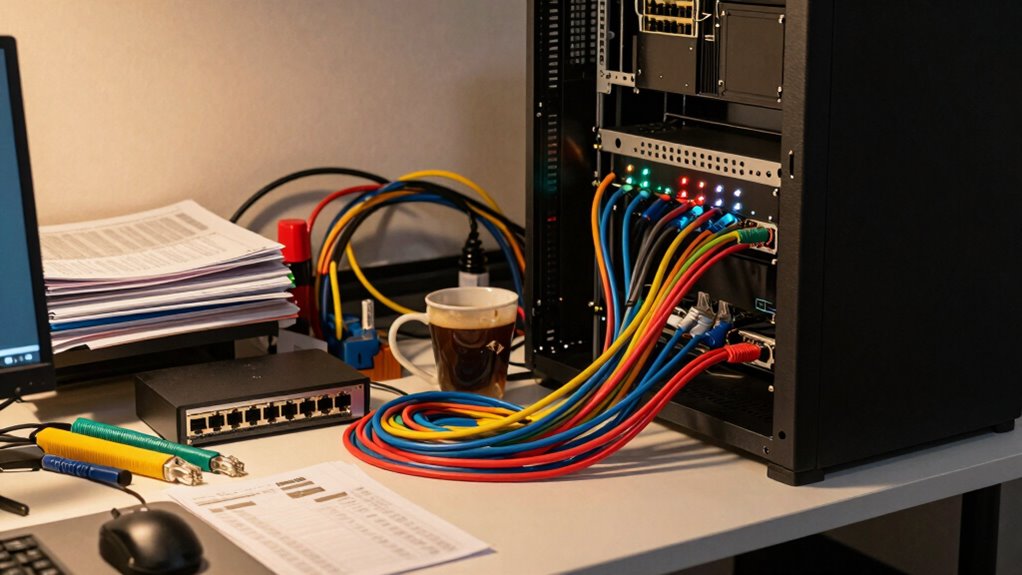
Setting up a home lab can be exciting, but it’s easy to make mistakes that cost time and money. One common error is neglecting proper network segmentation. When you don’t segment your network, all your devices and nodes sit on the same flat network, making it easier for issues to cascade across your setup. If one device gets compromised or crashes, it can impact your entire environment. Proper network segmentation isolates different parts of your network, such as separating your management, storage, and user access, so problems in one area don’t spill over into others. This isn’t just about security; it also improves performance and makes troubleshooting easier. Without it, you risk exposing sensitive data or causing a network-wide outage, which could take hours to diagnose and fix. Understanding network topology can help you plan your setup more effectively to avoid such issues.
Proper network segmentation enhances security, performance, and troubleshooting in your home lab by isolating different network areas.
Another critical mistake involves overlooking hardware redundancy. You might be tempted to save costs by skimping on extra equipment, but skipping redundant hardware creates single points of failure. Imagine your main server or switch fails, and you have no backup in place—your entire lab could grind to a halt. Hardware redundancy, such as dual power supplies, backup switches, or mirrored storage, ensures your environment keeps running smoothly even if a component fails. It’s an essential part of designing a resilient home lab, especially if you’re experimenting with critical or complex setups. Ignoring redundancy won’t just cause inconvenience; it can compromise your entire learning process, forcing you to spend more time repairing or rebuilding your environment. Proper hardware planning**** can help ensure your system remains operational under various failure scenarios.
Furthermore, these mistakes often compound each other. Without network segmentation, a failure or security breach can spread more easily across your environment, making recovery more difficult. Without hardware redundancy, the impact of a single hardware failure becomes even more severe, potentially losing your data or configurations. Both mistakes reveal a lack of planning and insight, exposing vulnerabilities that go beyond mere technical inconveniences. They can make your home lab less secure, less reliable, and ultimately less useful for your learning or projects. Additionally, understanding the importance of contrast ratio and proper image quality can significantly enhance your experience when working with visual or multimedia components of your setup. Incorporating network security best practices can further safeguard your environment from potential threats and prevent costly disruptions.
The good news is that these issues are preventable with a bit of upfront planning. Invest in designing a segmented network and incorporate redundancy into your hardware choices. Doing so might seem like extra effort now, but it pays off by keeping your environment stable, secure, and ready for whatever experiments you throw at it. Remember, a well-structured home lab protects more than just your nodes—it safeguards your time, your data, and your peace of mind.
home network segmentation switch
As an affiliate, we earn on qualifying purchases.
As an affiliate, we earn on qualifying purchases.
Frequently Asked Questions
How Can I Prevent Data Breaches in My Home Lab?
To prevent data breaches in your home lab, you should implement strong password management practices and prioritize network segmentation. Use unique, complex passwords for all devices and accounts, avoiding default credentials. Segment your network to isolate sensitive systems, limiting access and reducing potential attack surfaces. Regularly update your software and monitor activity logs. These steps help you protect your data and prevent unauthorized access in your home lab environment.
What Are the Best Security Tools for Home Labs?
Think of your home lab as a fortress, where security tools are your guards. Use firewalls and VPNs to control guard posts, implementing network segmentation to isolate sensitive areas. Access controls act like gates, ensuring only trusted users enter. Combining these tools creates a layered defense, making it harder for intruders to breach your sanctuary. Stay vigilant, update regularly, and monitor activity to keep your fortress secure.
How Often Should I Update My Home Lab Security?
You should update your home lab security regularly, ideally every month or after significant changes. Focus on maintaining robust network segmentation to isolate sensitive systems and prevent lateral movement. Keep your credential management practices strong by updating passwords frequently and using multi-factor authentication. Regular updates guarantee vulnerabilities are patched promptly, reducing risks, and help you stay ahead of potential breaches that could expose more than just your nodes.
Can I Recover Data After a Security Breach?
Yes, you can recover data after a security breach if you have cloud backups in place. Regular backups guarantee you can restore your data quickly, minimizing downtime. Be aware of insider threats, which can sabotage your recovery efforts. Always verify your backups and keep them secure, so in case of a breach, you’re ready to recover your data efficiently and protect your home lab’s integrity.
What Legal Risks Are Associated With Home Lab Setups?
You face legal liabilities if your home lab setup infringes on intellectual property rights or involves unauthorized data use. Sharing or replicating proprietary software without permission can lead to legal action. Additionally, if your lab handles sensitive or private data, you might violate privacy laws. To stay safe, make certain you respect intellectual property laws, avoid using copyrighted materials unlawfully, and keep sensitive data secure to minimize legal risks.
redundant power supply for server
As an affiliate, we earn on qualifying purchases.
As an affiliate, we earn on qualifying purchases.
Conclusion
Remember, a small mistake in your home lab can reveal more than you think. Always double-check your configurations and security settings—it’s better to be safe than sorry. The adage “A chain is only as strong as its weakest link” rings true here; neglect one detail, and your entire setup could be at risk. Stay vigilant, keep learning, and don’t let a simple error turn into a costly disaster. Your home lab should be a safe playground, not a vulnerability.
network isolation hardware for home lab
As an affiliate, we earn on qualifying purchases.
As an affiliate, we earn on qualifying purchases.
As an affiliate, we earn on qualifying purchases.
Halloween Picks
halloween
As an affiliate, we earn on qualifying purchases.