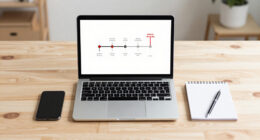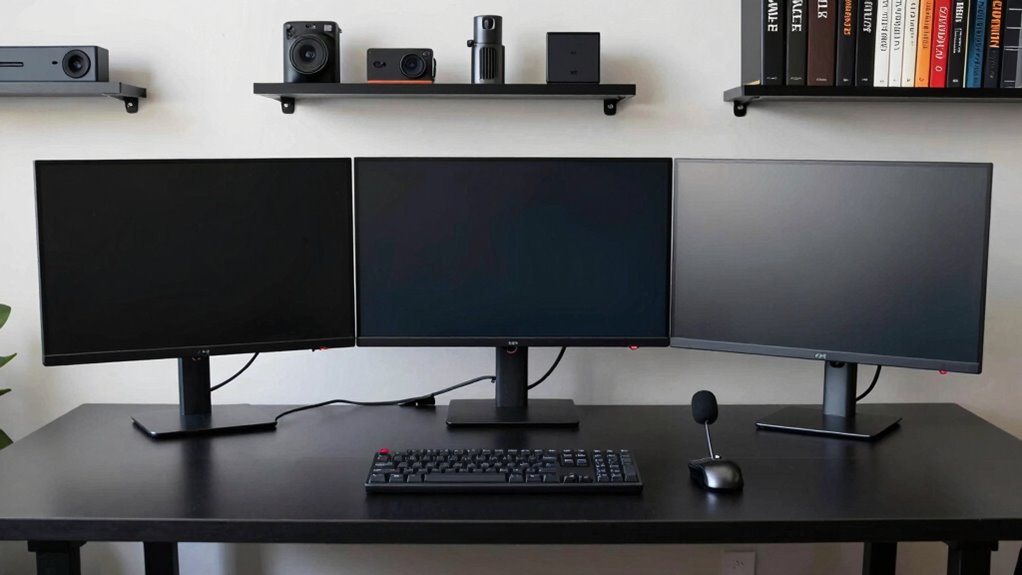

To build a clutter-free multi-PC trading desk, start by choosing high-resolution monitors with fast refresh rates and position them at eye level to reduce strain. Use monitor mounts or multi-monitor stands to save space and organize effectively. Implement cable management tools like clips, ties, and sleeves to keep cords neat, labeling them for quick access. Keep your workspace clean, ergonomic, and regularly review your setup for ongoing efficiency—if you keep exploring, you’ll discover how to master this layout with ease.
Key Takeaways
- Use multi-monitor stands and mounts to organize screens and maximize desk space efficiently.
- Implement cable management solutions like clips, sleeves, and labels to keep wires tidy and accessible.
- Invest in surge protectors and USB hubs to centralize power and peripheral connections.
- Position monitors at eye level and arrange them to minimize unnecessary head movement for ergonomic comfort.
- Regularly review and reorganize cables and equipment to prevent clutter and maintain a clean, professional workspace.
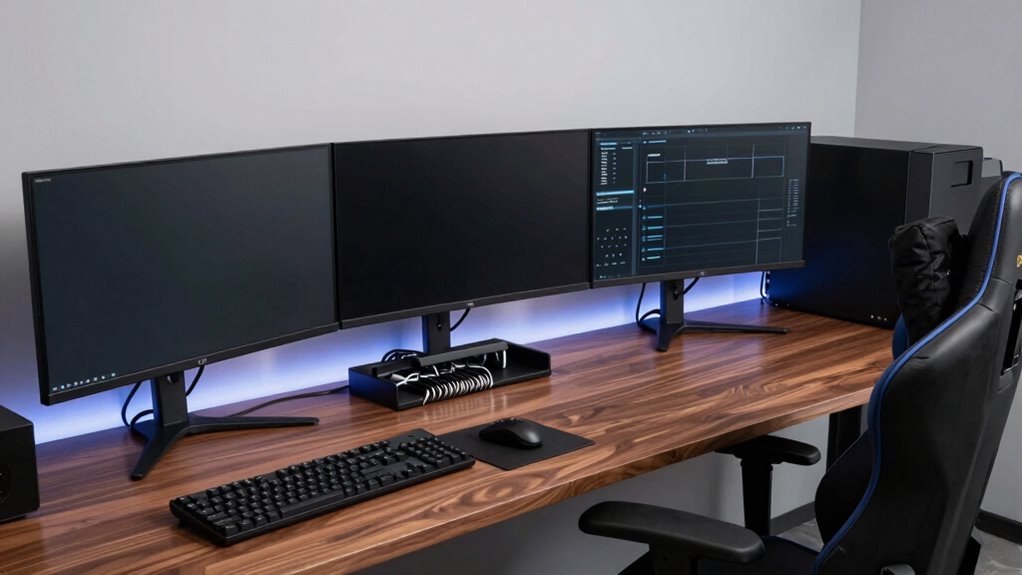
Setting up a multi-PC trading desk can considerably enhance your trading efficiency and situational awareness. It allows you to monitor multiple data streams, execute trades faster, and keep critical information within easy reach. However, to truly maximize your setup’s potential, you need to focus on a clean monitor setup and effective cable management. A cluttered desk is not only distracting but can also slow you down during high-pressure trading moments.
Begin by choosing the right monitors for your needs. Aim for screens with high resolution and fast refresh rates to display charts, news feeds, and trading platforms clearly. Position your monitors at eye level to reduce neck strain, and arrange them in a way that minimizes excessive head movement. Using monitor stands or mounts can help save desk space and improve ergonomics. When setting up your monitor layout, consider a multi-monitor stand that holds several screens together. This consolidates your monitor setup into a single, organized unit, freeing up more space on your desk and making it easier to switch between screens swiftly.
Cable management is essential in maintaining an efficient, mess-free workspace. Use cable clips, sleeves, or cable ties to bundle wires neatly behind your desk. Label each cable at both ends to quickly identify and troubleshoot connections when needed. Avoid running cables across your workspace where they can cause clutter or accidental disconnections. Instead, route them along the edges or through cable trays designed for desk setups. Proper cable management not only improves aesthetics but also reduces the risk of damage or disconnection during intense trading sessions. Incorporating high refresh rates into your monitor choices can further improve your reaction times and overall experience. Additionally, selecting quality cable organizers can significantly simplify ongoing cable maintenance. To ensure your workspace remains efficient, consider researching cable management techniques that can help streamline your setup even further. Regularly reviewing and reorganizing your cable system can also help prevent buildup of dust and wear on the wires.
Invest in power strips with surge protection and enough outlets for all your devices. Velcro or cable ties can help keep power cords organized and prevent tangling. Consider using a dedicated docking station or USB hub to connect peripherals like keyboards, mice, and external drives. This minimizes the number of cables running directly to your computers, simplifying the overall cable setup.
Finally, routinely review and tidy your cable management system. As your equipment evolves, so will your cable needs. Regularly check for loose or damaged cables and replace or reorganize as necessary. Maintaining a clean, organized monitor setup complemented by diligent cable management ensures your multi-PC trading desk remains efficient and free of distractions. With these steps, you’ll create a workspace that promotes focus, speeds up your response times, and keeps your trading environment neat and professional. Incorporating ergonomic principles into your workspace setup can also improve comfort and productivity over long trading hours.

VIVO Dual Monitor Desk Stand Free-Standing LCD Mount, Holds in Stacked Vertical Position 2 Ultrawide Screens up to 34 inches, Black, STAND-V002L
- Ultrawide Compatibility: Supports two 13-34 inch screens
- Adjustable Articulation: Tilt, swivel, rotate, and height adjust
- Stable Heavy Duty Base: Large padded base for stability
As an affiliate, we earn on qualifying purchases.
As an affiliate, we earn on qualifying purchases.
Frequently Asked Questions
How Do I Ensure Data Security Across Multiple PCS?
To guarantee data security across multiple PCs, you should implement strong access controls, like multi-factor authentication, to restrict who can access sensitive info. Use data encryption to protect data both at rest and during transmission. Regularly update your security software, create secure passwords, and monitor activity logs. These steps help prevent unauthorized access, safeguard your data, and maintain a secure, efficient multi-PC trading desk environment.
What Are the Best Cable Management Tips for a Clean Setup?
Did you know cluttered cables can increase setup time by up to 30%? To keep your desk tidy, start with cable labeling—mark each cord for quick identification. Use cord concealment techniques like cable sleeves or raceways to hide excess wiring. Secure loose cables with clips or zip ties, and route them neatly along edges. This approach guarantees a clean, efficient workspace, making your multi-PC trading desk organized and easy to manage.
How Can I Optimize Network Performance for Multiple Trading Stations?
To optimize network performance for multiple trading stations, prioritize a robust wired infrastructure, but supplement with reliable wireless connectivity for flexibility. Use high-quality switches and routers, guaranteeing hardware redundancy to prevent downtime. Segment your network to reduce congestion and prioritize trading traffic with Quality of Service (QoS) settings. Regularly update firmware, monitor bandwidth, and consider a dedicated network for trading activities. This approach assures fast, stable, and secure connections across your setup.
What Hardware Specifications Are Recommended for High-Speed Trading PCS?
Imagine your trading desk powered by high-speed PCs with top-tier hardware specs. Opt for processors like Intel Xeon or AMD Ryzen Threadripper, paired with at least 32GB RAM, SSDs for lightning-fast data access, and high-performance GPUs. Guarantee hardware compatibility with your network setup, and plan upgrade strategies now—future-proof your system for seamless, rapid trades. This setup keeps you ahead, ready for the fast-paced world of high-speed trading.
How Do I Coordinate Software Updates Across All Devices?
You should set up remote synchronization and update automation to coordinate software updates across all devices efficiently. Use centralized management tools like Microsoft Endpoint Manager or similar solutions to push updates automatically, ensuring consistency. Schedule updates during non-trading hours to avoid disruptions. Regularly check the status of updates and troubleshoot any issues remotely. This approach minimizes manual effort, maintains system stability, and keeps your trading desk running smoothly.

N NOROCME 192 PCS Cable Management Kit 4 Wire Organizer Sleeve
- Complete Cable Management Kit: Includes sleeves, ties, clips, and mounts
- Various Cable Clips: 6 types, 46 eco-friendly clips in two colors
- Durable Materials: Sturdy, high-quality components for long-lasting use
As an affiliate, we earn on qualifying purchases.
As an affiliate, we earn on qualifying purchases.
Conclusion
Setting up a multi-PC trading desk might seem overwhelming at first, but with the right planning, it’s entirely manageable. Don’t let concerns about clutter or complexity hold you back—use efficient cable management and modular setups to keep things tidy and functional. Remember, the key is prioritizing your workflow and investing in quality hardware. With a little effort, you’ll create a streamlined, professional trading environment that boosts both productivity and confidence.

HUANUO Triple Monitor Mount for 13-27 inch Computer Screens, Gaming 3 Monitor Desk Mount with Arm Holds 19.8lbs, Triple Monitors Stand with Tilt, Swivel, Rotation, VESA 75×75, 100x100mm
- Stable Construction: Supports up to 19.8 lbs per arm
- Full Motion Flexibility: 360° rotation, ±90° swivel, ±45° tilt, 12.2-inch height adjust
- Wide Compatibility: Fits 13-27 inch monitors with VESA 75x75mm or 100x100mm
As an affiliate, we earn on qualifying purchases.
As an affiliate, we earn on qualifying purchases.

Surge Protector Power Strip 10 ft with 4 USB Ports 2 USB-C 6 AC Outlets, Flat Plug Extension Cord, USB Charging Station, Wall Mountable for Home, Office, Dorm Essentials, 1080J, ETL Listed
- 10-in-1 Surge Protector: 6 AC outlets, 4 USB ports
- Fast Charging USB Ports: 2 USB-A and 2 USB-C ports
- High Surge Protection: 1080J surge protection with overload switch
As an affiliate, we earn on qualifying purchases.
As an affiliate, we earn on qualifying purchases.