📊 Full opportunity report: Choosing A Document Scanner For A Paper-Heavy Small Office on IdeaNavigator AI — validation score, market gap, and execution plan.
TL;DR
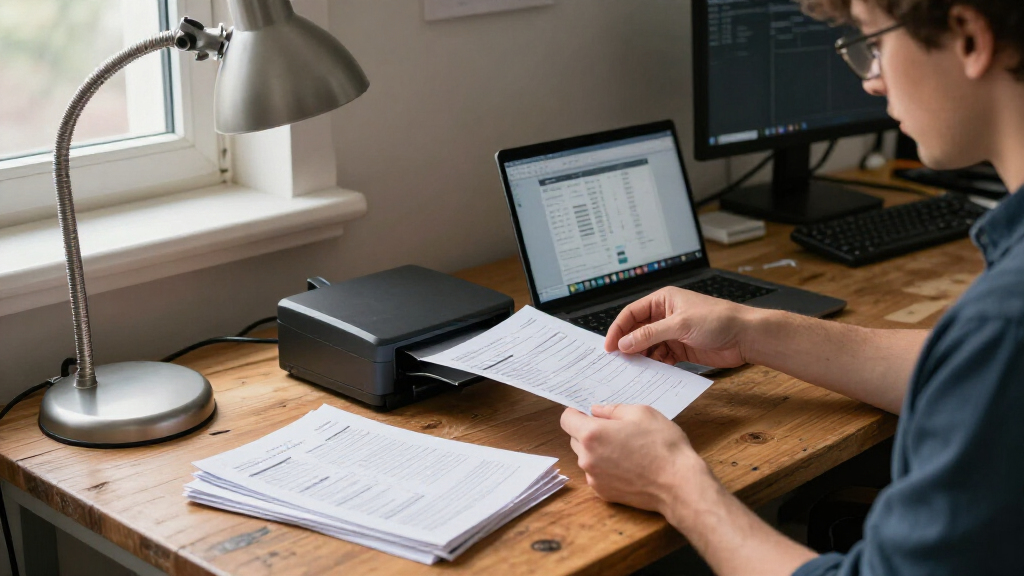
A product proposal outlines a phone-based scanner that would use OCR to classify documents, suggest filenames and save searchable PDFs in a shared folder. The suggested first test is a one-week pilot with five small offices; no pilot results or product performance figures are provided.
IdeaNavigator AI has proposed testing a phone-based document scanner that would classify, name and file paperwork for small offices, with a suggested pilot involving five organizations and backlogs of 200 documents each. The concept targets administrative teams at nonprofits, clinics and law offices, but it remains a product idea: no pilot findings, operating accuracy or customer commitments are reported.
In its proposal, IdeaNavigator AI describes an app that would let a user photograph a stack of documents on a phone. The app would then apply optical character recognition (OCR) to read the pages, suggest a document category and filename, and save searchable PDFs to a shared folder. The proposal gives an invoice filename format of document type, date and vendor as an example. It does not identify a finished product or a specific file-storage service.
IdeaNavigator AI identifies office managers at small nonprofits, clinics and law firms as potential customers, citing paper intake forms, invoices and records as examples of documents that can accumulate. The proposal characterizes generic scanner apps as producing unsorted image files without useful naming or extracted fields. That characterization comes from IdeaNavigator AI; the proposal does not cite a published comparison of scanner products.
For validation, IdeaNavigator AI proposes giving five small offices a one-week pilot, with each asked to scan 200 documents from a real backlog. It says the proposed measures would be correct auto-classification rates and willingness to pay per seat. The concept also sketches a monthly per-seat subscription, a page-volume cap and charges for additional pages. No prices or test results are reported.
Filing Accuracy Could Shape Adoption
If the workflow works reliably, it could reduce the manual steps between scanning a paper record and making it findable in a shared digital folder. For a small office with limited administrative capacity, useful filenames, searchable text and consistent classification may matter more than simply capturing an image of each page.
The proposal’s value depends on more than whether OCR can read text. A misclassified or badly named document can be hard to retrieve and may require staff to check the system’s work, reducing the time saved. The suggested pilot therefore focuses on classification accuracy and willingness to pay, rather than treating the presence of OCR as proof of operational benefit.
Documents handled by clinics and law offices may contain sensitive personal, medical or legal information. Any real deployment would need to address who can access the files, where document data is processed and stored, how long it is retained, and what protections apply. IdeaNavigator AI’s proposal does not specify those controls, so it does not establish that the suggested workflow is suitable for regulated or confidential records.
document scanner with OCR for small office
As an affiliate, we earn on qualifying purchases.
As an affiliate, we earn on qualifying purchases.
From Paper Backlogs to Searchable PDFs
IdeaNavigator AI says the concept is aimed at organizations that still receive or retain paper documents, including intake forms, invoices and records. Its proposed process combines scanning with tasks staff may otherwise perform separately: identifying a document, extracting details, choosing a filename and placing the file in a shared location.
IdeaNavigator AI says on-device and API-based OCR, alongside layout-aware models, make automated naming and field extraction affordable enough to test without a dedicated IT team. This is the proposal’s rationale for the idea; it provides no benchmark, cost comparison or measured accuracy data to substantiate how well the tools would perform on a particular office’s documents.
The five-office, one-week pilot described by IdeaNavigator AI is a proposed validation plan, not a completed trial. The proposal does not explain how documents would be sampled, what would count as a correct classification, or how errors would be reviewed. Those details would affect how much confidence readers could place in any future reported results.
automatic document classification scanner app
As an affiliate, we earn on qualifying purchases.
As an affiliate, we earn on qualifying purchases.
Accuracy, Privacy and Pricing Remain Open
IdeaNavigator AI reports no product launch, completed pilot or measured results. It is unclear whether small-office users have agreed to participate, what classification accuracy the system could achieve, and how it would handle handwritten pages, poor-quality images, unusual forms or documents containing several types of information.
The proposal also leaves practical questions unanswered: which shared-folder services would be supported, whether staff would have to approve suggested names and categories, and how corrections would be handled. It does not state whether processing in a deployed version would happen on a phone or through an external service. That matters because the intended users may handle confidential records.
Pricing and page limits are not set. IdeaNavigator AI presents the subscription structure as a possible business model, not as a price customers have accepted. The proposed test of willingness to pay could provide an early signal, but the proposal includes no survey, customer commitments or revenue figures.
searchable PDF scanner for small business
As an affiliate, we earn on qualifying purchases.
As an affiliate, we earn on qualifying purchases.
A Small Pilot Is the Proposed Test
IdeaNavigator AI’s proposed next step is a one-week trial at five small offices, with each office scanning 200 documents from its existing backlog. The proposal says the assessment would record how often the app assigns the right document type and whether participating offices would pay per seat.
To show whether the tool can fit into office routines, organizers would also need to clarify how staff verify and correct classifications, how sensitive files are protected, and what counts as a successful result. Those are open implementation questions, not details confirmed in IdeaNavigator AI’s proposal. No pilot date or results have been announced, so the concept’s performance and commercial prospects remain untested.
Source: IdeaNavigator AI
mobile document scanner app for office
As an affiliate, we earn on qualifying purchases.
As an affiliate, we earn on qualifying purchases.
Key Questions
What would the proposed scanner do?
According to IdeaNavigator AI’s proposal, users would photograph paper documents with a phone. The app would use OCR to suggest a document type and filename, then save searchable PDFs to a shared folder.
Who is the idea aimed at?
IdeaNavigator AI says the proposal targets office managers at small nonprofits, clinics and law offices that handle paper forms, invoices and records.
Has the scanner been tested?
IdeaNavigator AI reports no completed test or performance results. It proposes a one-week pilot with five offices, each scanning 200 backlog documents.
How would the pilot measure success?
IdeaNavigator AI proposes measuring correct auto-classification rates and whether offices would be willing to pay per seat. The proposal does not define a target accuracy or report customer responses.
What remains unknown about the service?
As presented in IdeaNavigator AI’s proposal, accuracy on real office paperwork, privacy and security controls, supported storage services, pricing and page limits are all unconfirmed. No launch schedule is given.
Source: IdeaNavigator AI