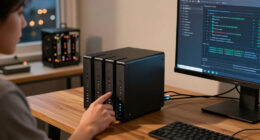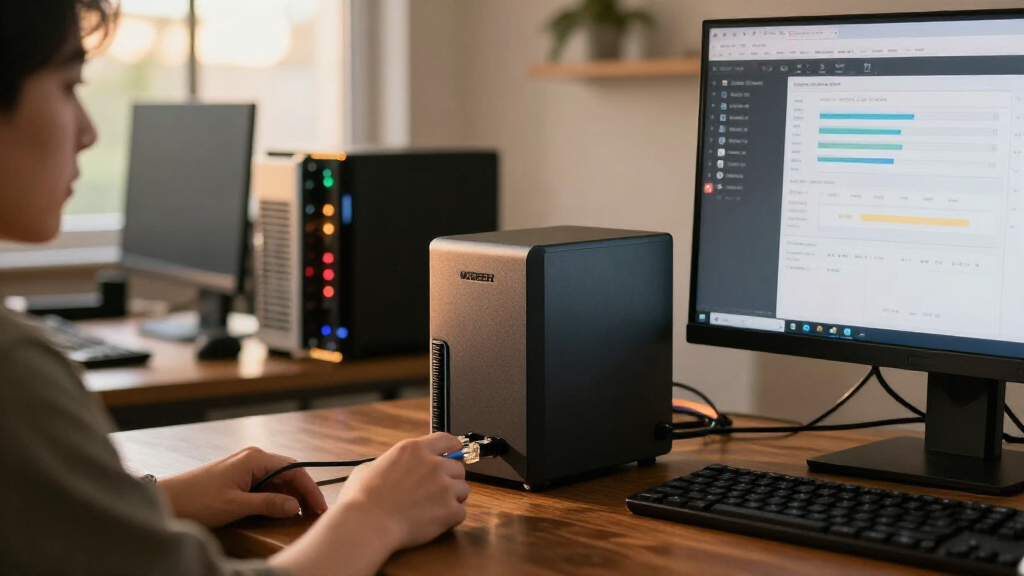

🔍 Read the full analysis: How To Decide If The UGREEN NAS DXP4800 Pro Suits Your AI Needs on ThorstenMeyerAI.com

Get hardware and tech essentials delivered free with Prime
- Fast, free delivery on millions of items
- Prime Video, Amazon Music and more included
- Member-only deals all year
TL;DR
The UGREEN NAS DXP4800 Pro is a four-bay network-attached storage device with an Intel Core i3-1315U, expandable memory, 10GbE and software that can organize photos using on-device AI. It may suit users who want local photo management, self-hosted services or fast shared storage, but drives are not stated as included and its advanced hardware may be unnecessary for basic backups.
The UGREEN NAS DXP4800 Pro combines four drive bays, an Intel Core i3-1315U processor and software that can organize photos using on-device AI, positioning it as more than a basic backup box, as explored in the original assessment. The assessment says it may suit home users and small teams running local services or handling large files, but buyers should account for the cost and setup of storage drives, which are not stated as included.
The product assessment lists 8GB of DDR5 memory, expandable to 96GB, and support for Docker containers and virtual machines. Those capabilities can let users run file storage alongside self-hosted services on one device. According to the assessment, the processor has six cores and eight threads, with a stated maximum frequency of 4.5GHz. The assessment says this extra processing capacity is unlikely to matter to someone who only needs automatic backups and shared folders.
The assessment lists 10GbE and 2.5GbE ports and a stated maximum transfer speed of 1.25GB/s. Reaching the faster performance requires compatible equipment across the network, including a client device and switch; the ports do not speed up an ordinary gigabit connection by themselves. The product specifications cited in the assessment include four 3.5-inch bays and two PCIe 4.0 M.2 slots, with a listed maximum capacity of up to 144TB, depending on the drives installed.
According to the assessment, UGREEN’s UGOS Pro includes media, photo and cloud-sync features, and can organize photos using on-device AI. The source does not provide benchmarks for that feature or specify which photo tasks it supports. The assessment also lists tool-free drive trays and a two-year warranty. It says the NAS supports RAID 0, 1, 5 and 10, but RAID is not a substitute for a separate backup.

UGREEN NAS DXP4800 Pro 4-Bay Network Attached Storage
- ✔ Processor: Intel Core i3-1315U, 6 cores, 8 threads, up to 4.5GHz
- ✔ Memory: 8GB DDR5, expandable to 96GB
- ✔ Graphics: 13th Gen Intel UHD Graphics
The 1 picks
- 1
 UGREEN NAS DXP4800 Pro 4-Bay Desktop NAS with Intel Core i3-1315U, 8GB DDR5,…View on Amazon →
When Its AI and Speed Pay Off
The assessment’s case for the DXP4800 Pro depends on whether a buyer will use its local photo tools and broader server capabilities. Users seeking to keep and organize a growing image library on their own hardware may value the on-device AI feature, while Docker and virtual-machine support can appeal to home-lab users who want several services on one machine. The supplied information does not show how well the AI tools perform, so buyers should not treat the feature label as proof that it will meet a particular workflow.
The assessment says the faster network ports matter most for people moving large video files or sharing project storage across a compatible network. For a household using a standard gigabit connection, or a person who only needs copies of documents and photos, much of the hardware may go unused. That distinction matters to the total cost: the listed storage capacity depends on separately chosen drives, and using the 10GbE port may require upgrades elsewhere in the network.
A Four-Bay NAS, Not Just Backup
The product assessment places the DXP4800 Pro above entry-level NAS devices because it pairs four drive bays with a laptop-class Intel processor, expandable memory and support for containers and virtual machines. It compares the UGREEN with the two-bay Synology DS223 and DS223j, saying the DXP4800 Pro offers more bays and higher-speed networking. The assessment notes that those Synology models can still make more sense for compact backup and file-sharing needs.
As the assessment explains, more bays give owners room to add drives and choose among RAID layouts as storage needs change. However, a larger maximum capacity is a configuration possibility, not a claim that storage comes in the box. Buyers must choose drives and decide how to balance capacity and redundancy. The assessment lists tool-free trays, which reduce the physical effort of installing drives, but do not remove the need to configure the array and network.
AI Performance and Setup Details
The supplied assessment provides no independent tests of on-device AI performance, file-transfer results or virtual-machine workloads. It does not describe the supported photo-recognition features in detail, so the usefulness of the AI tools for a particular library or workflow remains uncertain. The stated 1.25GB/s transfer ceiling is a specification cited in the assessment, not a reported real-world result.
The supplied information also does not establish whether the product listing includes any drives, what the final cost would be after adding storage, or how the NAS performs for noise and long-term reliability. The assessment notes a two-year warranty but provides no reliability testing. Buyers should also check software support and compatibility for the applications they intend to run before relying on the device as a primary server.
Check the Full System Cost
Before choosing the DXP4800 Pro, buyers should confirm the current product listing, included accessories and warranty terms, then price the drives needed for their intended capacity. They should also check whether their computer, switch and cabling support 2.5GbE or 10GbE if faster transfers are a main reason for buying it.
People interested in its AI features should verify that UGOS Pro supports the specific photo organization tasks they need. The source describes a product assessment rather than a new announcement, and gives no date for a test or product change; no further milestone is specified. For basic backups and shared folders, a simpler two-bay NAS remains an option to compare against the complete cost and setup of this system.
Key Questions
Does the UGREEN NAS DXP4800 Pro include storage drives?
The supplied product information does not state that drives are included. Its listed up-to-144TB capacity depends on drives the buyer installs, so check the specific listing and budget for storage.
What does the DXP4800 Pro’s on-device AI do?
The source says UGOS Pro can organize photos using on-device AI, but does not specify the exact recognition features or provide performance tests. Confirm that the software supports your intended photo workflow.
Will the 10GbE port make my home network faster?
Not on its own. The 10GbE connection can help with large transfers only when the rest of the network, including the client device, switch and cabling, is compatible. On a gigabit network, that network connection will limit transfer speeds.
Is this NAS a good fit for basic backups?
It can store and share backup files, but the assessment says its processor, expandable memory and fast networking may be more than basic backup users need. A simpler two-bay NAS may be a better fit for straightforward backups and shared folders.
Does RAID replace a separate backup?
No. RAID can help maintain access to data after some drive failures, depending on the configuration, but it does not protect against every cause of data loss. Keep a separate backup of important files.
Source: ThorstenMeyerAI.com