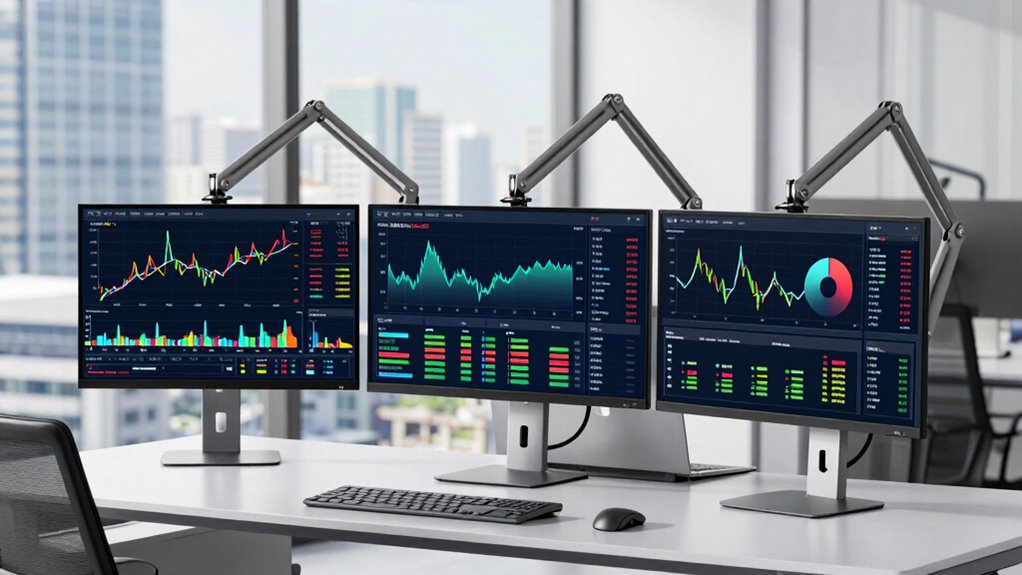

Multi-monitor arms are better than bigger desks because they offer customizable, ergonomic positioning that reduces strain and fatigue. With adjustable arms, you can set monitors at eye level and at ideal distances, preventing neck and eye discomfort during long trading sessions. They also help keep your workspace tidy by organizing cables and freeing up space. If you want to maximize your setup for comfort and efficiency, there’s more to discover about how these adjustments can enhance your trading experience.
Key Takeaways
- Multi-monitor arms optimize monitor positioning for better ergonomics, reducing strain without needing extra desk space.
- They allow flexible adjustments, enhancing workflow efficiency and quick adaptation to different trading tasks.
- Using monitor arms keeps desks clutter-free, freeing space for other essential trading equipment.
- They provide stable, adjustable support, ensuring monitors stay in optimal positions during extended trading sessions.
- Multi-monitor arms are easier to install and reconfigure than enlarging a desk, saving time and cost.
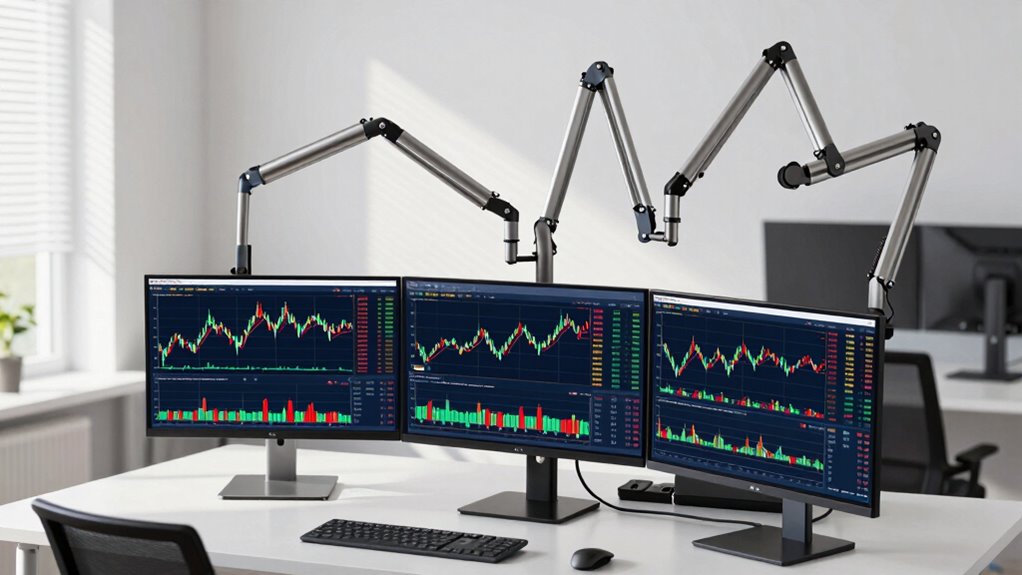
For traders who rely on multiple screens to monitor markets, having the right monitor arms can make a significant difference in productivity and comfort. Instead of sprawling across a large desk, you can position your monitors at ideal heights and angles, reducing strain on your neck and eyes. Multi-monitor arms are designed to provide flexible adjustments, enabling you to create a streamlined setup that adapts to your workflow. This flexibility not only enhances your efficiency but also minimizes physical discomfort during long trading sessions.
One of the key advantages of using multi-monitor arms over a bigger desk is the ergonomic benefits they offer. When screens are properly aligned and positioned, you avoid awkward postures that can lead to fatigue or repetitive strain injuries. With adjustable arms, you can set each monitor at eye level and maintain a comfortable viewing distance, which helps reduce eye strain and neck tension. Proper ergonomic positioning means less movement and less fatigue, allowing you to stay focused on market movements for extended periods. The ability to pivot, tilt, and rotate monitors ensures you maintain a healthy posture, which is especially vital during marathon trading days. Additionally, ergonomic setup plays a crucial role in preventing long-term health issues for traders. Installation tips are essential to maximize the benefits of your multi-monitor arms. First, verify your desk can support the weight and mounting requirements of the arms you select. Most come with clamp or grommet mounts—clamp mounts are typically easier to install without drilling, but grommet mounts provide a more stable foundation. Before fixing the arms, measure your workspace carefully to determine the best placement for each monitor, so you avoid clutter and ensure easy access to controls and cables. When installing, tighten all joints securely to prevent any unwanted movement, but avoid overtightening, which could damage the arm or your desk. Organize your cables during installation using clips or sleeves to prevent tangling and keep your workspace tidy. Incorporating smart home technology into your workspace setup can further optimize your environment by automating lighting, climate control, and even monitor adjustments for a more comfortable and efficient trading experience. Understanding requirements traceability can help you ensure that your setup aligns with compliance standards and best practices for safety and performance. Additionally, choosing high-quality monitor mounting hardware ensures your setup remains safe and stable over time. Proper installation not only guarantees safety but also ensures that your monitors stay in ideal positions for ergonomic benefits.

PUTORSEN Triple Monitor Mount for 17 to 32 inch Screens, Fully Adjustable 3 Monitor Stand for Desk Mount, with Heavy Duty Clamp and Grommet Mounting, 22 lbs per Arm, 75/100mm
FITS 17-32 INCH MONITORS: Designed to hold three monitors up to 32 inches each. Screens must have VESA…
As an affiliate, we earn on qualifying purchases.
As an affiliate, we earn on qualifying purchases.
Frequently Asked Questions
How Do Monitor Arms Impact Desk Space Efficiency?
Monitor arms improve desk space efficiency by freeing up surface area and allowing you to position monitors precisely. They offer monitor stability, preventing wobbling during busy trading sessions. Plus, they enhance cable management, reducing clutter and keeping your workspace tidy. With adjustable arms, you can easily switch views and angles, optimizing your setup without sacrificing valuable desk space. This streamlined arrangement boosts productivity and creates a cleaner, more organized trading environment.
Are Multi-Monitor Arms Suitable for All Types of Trading Setups?
While multi-monitor arms are versatile, they aren’t suitable for every trading setup. You need to check monitor arm compatibility with your monitors and guarantee adjustable tension suits your preferred positioning. If your equipment is heavy or has unique mounting needs, some arms might not support them properly. So, assess your setup carefully, and choose an arm that offers adjustable tension and compatibility to optimize your workspace efficiently.
What Are the Cost Differences Between Monitor Arms and Larger Desks?
You’ll find that monitor arms generally cost less than larger desks, making them a smart choice for budget considerations. A good multi-monitor arm can range from around $50 to $300, while larger desks often start at $200 and go much higher. The cost comparison shows that investing in monitor arms allows you to optimize space without a hefty price tag, giving you more flexibility and affordability for your trading setup.
How Easy Is It to Install Multi-Monitor Arms?
Installing multi-monitor arms is like setting sail with a trusted compass—simple and straightforward. You’ll find adjustable mounting options that fit your desk and monitor sizes easily. Most arms come with clear instructions, and their weight capacity guarantees stability without hassle. With basic tools, you can attach them in minutes, giving you flexible, clutter-free setups. It’s a quick upgrade that makes managing multiple screens effortless and efficient.
Do Monitor Arms Improve Ergonomic Comfort During Trading Sessions?
Yes, monitor arms considerably improve ergonomic comfort during trading sessions. They allow you to adjust screens to the perfect height, angle, and distance, which helps improve your posture and reduce strain on your neck, shoulders, and eyes. By customizing your setup, you minimize repetitive stress and fatigue, making your trading experience more comfortable and sustainable over long periods. This focus on ergonomic benefits can boost your productivity and overall well-being.

ErGear Single Monitor Arm, Fully Adjustable Monitor Mount for 13–34 Inch Screens, Fast Install Computer Monitor Stand with Tool-Free VESA Mount, Cable Management, Holds 19.8 lbs, Max VESA 100x100mm
Ultrawide Compatibility: The ErGear heavy-duty monitor arm is compatible with most 13″–34″ flat or curved monitors up to…
As an affiliate, we earn on qualifying purchases.
As an affiliate, we earn on qualifying purchases.
Conclusion
Imagine you’re a skilled conductor, your baton guiding a complex symphony. Multi-monitor arms are your baton, seamlessly orchestrating multiple screens with precision and agility. They allow you to focus, adapt, and command your trading environment effortlessly, much like a conductor leads with clarity. Bigger desks are like grand concert halls—impressive but often unnecessary. With multi-monitor arms, you stay nimble and in control, turning your trading setup into a well-tuned instrument ready to respond to every note.
ErGear Single Monitor Arm, Fully Adjustable Monitor Mount for 13–34 Inch Screens, Fast Install Computer Monitor Stand with Tool-Free VESA Mount, Cable Management, Holds 19.8 lbs, Max VESA 100x100mm
Ultrawide Compatibility: The ErGear heavy-duty monitor arm is compatible with most 13″–34″ flat or curved monitors up to…
As an affiliate, we earn on qualifying purchases.
As an affiliate, we earn on qualifying purchases.

HUANUO FlowLift™ Dual Monitor Stand, Fully Adjustable Gaming Monitor Desk Mount for 13–32″ Computer Screens, Full Motion VESA 75×75/100×100 with C-Clamp & Grommet Base, Each Arm Holds 4.4 to 19.8 lbs
Compatible with Wide Screens – To ensure compatibility with the dual monitor mount, your each monitor must meet…
As an affiliate, we earn on qualifying purchases.
As an affiliate, we earn on qualifying purchases.