To set up a cold-storage hardware wallet, follow your device’s instructions to initialize it and create or restore your wallet, guaranteeing you generate a secure seed phrase. Write this seed phrase on paper and store it offline in a safe, waterproof, fireproof spot while keeping multiple copies for redundancy. Verify the accuracy of your seed phrase, then connect your wallet to official software, activate security features like PIN codes or passphrases, and ensure all protections are active before managing your crypto assets.
Key Takeaways
- Follow manufacturer instructions to initialize the device and create or restore a wallet.
- Generate and securely store the seed phrase offline, avoiding digital copies.
- Verify seed phrase accuracy by inputting words in correct order for wallet recovery.
- Connect the hardware wallet to a computer or mobile device using USB or Bluetooth.
- Set up security features like PIN codes and passphrases to enhance protection of the cold storage.
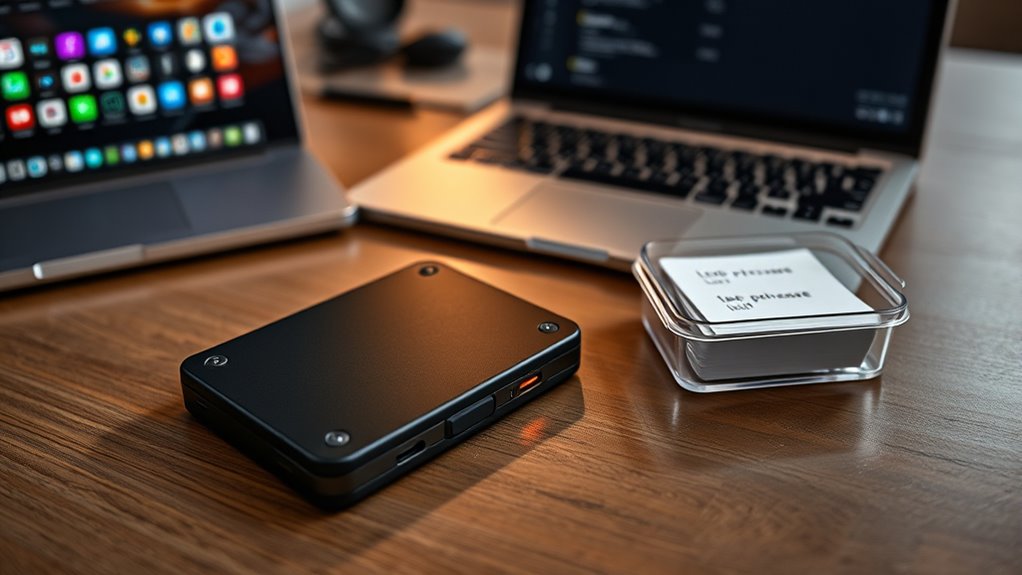
Setting up a cold-storage hardware wallet is a essential step in safeguarding your cryptocurrencies from online threats. When you’re ready to start, the first thing you’ll need to do is carefully follow the manufacturer’s instructions to guarantee proper setup. This involves initializing your device, which often includes creating a new wallet or restoring an existing one. During this process, you’ll be prompted to generate a seed phrase—an indispensable component of seed phrase management. Your seed phrase is a series of words that acts as a master key to your funds. It’s imperative to write this down on a physical medium, like paper, and store it securely offline. Never share your seed phrase with anyone, and avoid digital copies that could be hacked or lost.
Setting up a hardware wallet involves creating a seed phrase and securely storing it offline.
Once you’ve recorded your seed phrase, you’ll be asked to verify it by inputting the words in the correct order. This step guarantees you’ve accurately saved your recovery information. Proper seed phrase management is essential because it’s the only way to recover your wallet if the device gets damaged, lost, or stolen. Keep your seed phrase in a safe location, preferably in a fireproof and waterproof container, and consider having multiple copies stored separately. Remember, your seed phrase isn’t just a backup; it’s your ultimate access point to your cryptocurrency holdings.
Next, you’ll want to confirm that your hardware wallet is compatible with your preferred cryptocurrency or blockchain. Hardware wallet compatibility is key to making sure you can seamlessly manage your assets without unnecessary complications. Most hardware wallets support a wide range of cryptocurrencies, but it’s essential to verify this before proceeding. Check the list of supported coins and any compatible software or apps recommended by the manufacturer. This step helps prevent future issues when transferring or managing your funds. Ensuring compatibility is especially important because fetal movements typically begin to be felt around 18-20 weeks, highlighting the importance of accurate tracking for expectant mothers.
After confirming compatibility, you’ll connect your hardware wallet to a computer or mobile device via USB or Bluetooth, depending on the device. During this connection, you may be prompted to install companion software or a dedicated app. Always download these from official sources to avoid phishing scams. Once installed, you’ll be guided through setting up security features like PIN codes and passphrases, adding an extra layer of protection. This setup process ensures that even if someone gains physical access to your device, they won’t be able to access your funds without the PIN.
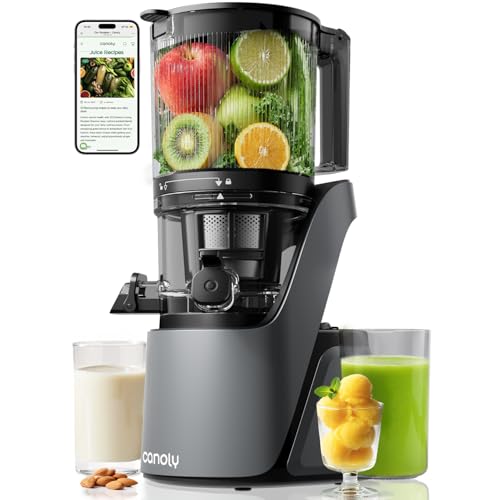
Canoly 3-in-1 Cold Press Juicer C16, Makes Juice & Sorbet & Nut Milk
- Multi-Function Juicer: Juice, sorbet, and nut milk in one machine
- Extra-Wide Chute: 6-inch feed for whole fruits and large vegetables
- Quiet Brushless Motor: Operates at 35dB for silent use
As an affiliate, we earn on qualifying purchases.
Frequently Asked Questions
How Long Does the Initial Setup Process Usually Take?
The initial setup for your cold-storage hardware wallet usually takes about 15 to 30 minutes. During this device configuration, you’ll need to connect your wallet to a computer or mobile device, create a PIN, and securely back up your recovery seed phrase. Take your time to follow each step carefully, as this process guarantees your funds are protected. Once completed, you’ll be ready to securely store your cryptocurrencies offline.
Can I Use a Hardware Wallet on Multiple Devices?
Like a trusty keyring, your hardware wallet can work across multiple devices, offering you flexible access. Most hardware wallets support multi-device compatibility, so you can securely connect to different computers or smartphones. Just remember, maintaining hardware wallet security is essential—avoid sharing your recovery phrase or connecting to untrusted devices. By doing so, you keep your crypto assets safe, no matter which device you use.
What Should I Do if My Hardware Wallet Gets Damaged?
If your hardware wallet gets damaged, don’t panic. You should use your wallet recovery seed to restore your funds on a new device. Keep your recovery seed secure and private, as it’s essential for wallet recovery. Once you have a new hardware wallet, follow the setup instructions and enter your recovery seed to regain access to your crypto assets. Always store your recovery seed safely to prevent hardware damage from causing loss.
Is There a Way to Recover My Wallet if I Lose the Device?
Losing your device is like losing a treasure chest, but you can still recover your wallet. You should have set up backup options, such as a recovery seed phrase, during initial setup. Keep these security precautions safe and private, like a secret map. If you lose your hardware wallet, use your seed phrase on a new device to restore access, ensuring your crypto remains protected and within reach.
How Often Should I Update the Wallet’s Firmware?
You should update your cold-storage hardware wallet’s firmware whenever new updates are released. These firmware updates often include important security patches that protect your assets from vulnerabilities. Regularly checking for updates guarantees your wallet stays secure against emerging threats. Don’t wait too long—install updates promptly to maintain peak security. Staying current with firmware updates is a vital part of safeguarding your cold storage and ensuring peace of mind.
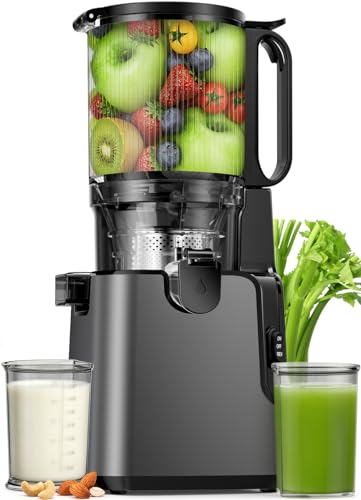
Juicer Machines with 5.8" Large Chute, 2-in-1 Cold Press Juicer for Whole Vegetables Fruits 400W, Masticating juicer Easy to Clean Juice Extractor Machine for Making Nut Mike, Juice, Premium Gray
- 2-in-1 Juicer Functionality: Extracts juice, nut milk, soy milk
- Large 5.8-inch Feed Chute: Juices whole fruits and vegetables
- Safety Lock Design: Ensures safe operation during use
As an affiliate, we earn on qualifying purchases.
Conclusion
Remember, a hardware wallet is only as strong as your careful setup. Take your time to follow each step precisely, and keep your recovery seed secure. Think of it like planting a tree—you nurture it now so it grows strong and resilient over time. With patience and caution, your cold-storage solution will safeguard your crypto assets effectively. In the end, a well-set-up wallet is your best defense against future storms.

EanOruus Juicer Machines, 3-in-1 Cold Press Juicer, Premium Gray
- Versatile 3-in-1 Functionality: Juice, sorbet, and nut milk options
- Wide Feed Chute: 6.5-inch for whole fruits and vegetables
- Large Capacity Hopper: 100 ounces for multiple servings
As an affiliate, we earn on qualifying purchases.

3-in-1 Juicer Machines, Cold Press Juicer 7“ Large Chute & 120oz – for Whole Vegetables & Fruits, High Juice Yield | Nut Milk | Natural Sorbet, Sliver
- 3-in-1 Functionality: Juice, nut milk, and sorbet
- 7-inch Wide Chute: Fits whole fruits and vegetables
- Large 120oz Hopper: Supports large-batch juicing
As an affiliate, we earn on qualifying purchases.