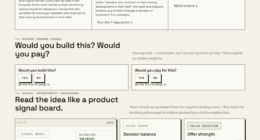
📊 Full opportunity report: Build vs Buy a Prebuilt AI Workstation on ThorstenMeyerAI.com — validation score, market gap, and execution plan.

Get hardware and tech essentials delivered free — and shop member deals
- Fast, free delivery on millions of items
- Access to Prime Big Deal Days deals on October 6–7
- Prime Video, Amazon Music and more included
TL;DR
The landscape for AI workstations has shifted in 2026, with prebuilt systems often offering better value and faster deployment than DIY builds. The decision depends on speed, control, and long-term needs.
In 2026, prebuilt AI workstations can often match or surpass the cost of custom-built systems due to global component shortages and price spikes, making prebuilt options more attractive for many users seeking quick deployment and reliability.
Recent market conditions, including chip shortages and increased component costs, have shifted the traditional advantage of building custom AI workstations. Many prebuilt systems from vendors like Lambda and Puget now offer comparable or lower prices, thanks to bulk purchasing and validation processes that ensure reliability and thermal performance. These prebuilt systems come fully assembled, tested, and supported, reducing setup time from weeks to days and minimizing operational risks.
Building your own AI workstation remains an option for those prioritizing maximum control, customization, and security. However, it requires significant technical expertise, time investment, and ongoing management. The total cost of ownership for DIY setups also includes hidden expenses such as troubleshooting, maintenance, and potential delays, which can outweigh initial savings. For more insights, see the full guide on build vs buy. Deployment timelines have shortened for prebuilt systems, often delivering ready-to-run units within 1-2 weeks, compared to DIY builds that can take a month or more.
Build vs buy
an AI workstation.
The real question behind this whole series: do you pull the five heat-and-noise levers yourself, or buy a prebuilt where the vendor pulled them for you? And in 2026, the old “building is cheaper” rule has broken. Match your situation in Part 3.
Impact of Market Shifts on Build vs Buy Decisions
This shift affects both individual users and organizations by making prebuilt AI workstations a more viable, cost-effective, and reliable option in 2026. It reduces the complexity and risk associated with DIY builds, enabling faster project start times and operational stability. For businesses, this means quicker deployment, lower maintenance overhead, and better predictability in hardware performance, which are critical in competitive AI development environments.As an affiliate, we earn on qualifying purchases.
Market Conditions and Evolution of AI Workstation Options
Historically, building custom AI workstations was cheaper and more flexible, but recent global chip shortages, supply chain disruptions, and rising component prices have altered this landscape. Vendors like Lambda and Puget now leverage bulk purchasing and validated manufacturing processes to offer competitive prebuilt systems. The trend toward ready-to-use solutions has accelerated as organizations seek to minimize setup time and operational risks, especially in fast-paced AI research and deployment scenarios. This evolution reflects a broader shift in the industry toward integrated, reliable hardware solutions over DIY approaches, driven by economic and logistical factors."In 2026, prebuilt AI workstations are often more cost-effective and reliable than DIY builds, thanks to market dynamics and validation processes."
— Thorsten Meyer, AI Hardware Expert
As an affiliate, we earn on qualifying purchases.
Remaining Questions About Long-Term Performance
It is not yet clear how the long-term reliability of prebuilt AI workstations compares to custom builds over multiple hardware refresh cycles, especially as component availability fluctuates and new technologies emerge. For a detailed analysis, see the original analysis on AI hardware options.As an affiliate, we earn on qualifying purchases.
Future Developments in AI Hardware Supply and Options
Expect continued market consolidation, with more vendors offering validated, ready-to-deploy AI workstations. Advances in modular hardware and AI-specific accelerators may further blur the lines between build and buy, providing more flexible options. Monitoring supply chain stability and technological innovation will be key for organizations planning long-term AI infrastructure investments.As an affiliate, we earn on qualifying purchases.
Key Questions
Are prebuilt AI workstations more expensive than building my own?
Not necessarily. Due to bulk purchasing and market conditions in 2026, prebuilt systems often match or are cheaper than DIY options when considering hidden costs like troubleshooting and support.
How long does it take to deploy a prebuilt AI workstation?
Most prebuilt systems can be delivered and ready to use within 1–2 weeks, while DIY builds may take a month or more, depending on sourcing and assembly time.
What are the main advantages of building my own AI workstation?
Building offers maximum control over hardware, customization, security, and upgrade paths, which can be important for specialized or long-term projects.
Does choosing a prebuilt system limit upgrade options?
Prebuilt systems are typically less flexible for upgrades compared to custom builds, but many vendors offer upgradeable configurations and support services.
Is long-term maintenance easier with prebuilt systems?
Yes, since prebuilt systems come with support, warranties, and validated components, reducing the complexity of maintenance and troubleshooting.
Source: ThorstenMeyerAI.com
Fall Picks
fall essentials
As an affiliate, we earn on qualifying purchases.