
📊 Full opportunity report: How to Reduce Heat and Noise in a High-Power AI Workstation on ThorstenMeyerAI.com — validation score, market gap, and execution plan.
TL;DR
High-power AI workstations generate significant heat and noise due to sustained GPU loads. Key solutions include undervolting GPUs, improving airflow, and optimizing components to reduce thermal output and fan noise.
High-power AI workstations produce excessive heat and noise under sustained load, impacting workspace comfort and equipment longevity. Experts confirm that targeted cooling and power management techniques can significantly reduce these issues, making AI setups quieter and more efficient.
AI workstations running large models or multi-GPU configurations often operate at or near full load continuously, unlike gaming PCs which handle bursty loads. This sustained load causes the GPUs, CPUs, and power supplies to generate more heat and noise. The primary source of heat and noise is the GPU, which can produce over 70% of the thermal load, with fans running at high speeds to dissipate heat. Power draw can reach 800W or more in multi-GPU setups, further increasing heat output.
One of the most effective and cost-free methods to reduce heat and noise is undervolting the GPU and capping its power limit. This decreases the thermal output without significantly impacting performance for inference workloads. Additionally, improving case airflow, selecting quieter cooling solutions, and optimizing component placement are recommended. Experts emphasize that these steps are more impactful than simply replacing fans or cooling hardware without addressing the root heat sources.
An AI workstation isn’t a gaming PC —
and that’s why it runs hot.
Local inference is a sustained load: the GPU sits near full power for hours with no loading screens, so the heat never dissipates and the fans never get a break. Here’s where the heat comes from — and the five levers that reduce it.
Targeted Cooling and Power Management Improve AI Workstation Efficiency
Implementing these strategies allows users to operate AI workstations more quietly and with less thermal stress, extending hardware lifespan and reducing energy costs. For professionals relying on continuous inference tasks, these improvements translate into a more stable and comfortable working environment, especially in small or shared spaces.

Cooler Master HAF II 500 ATX PC Case, High Airflow Dual 220mm + 180mm Fans
- Cooling System: Dual 220mm and 180mm fans for airflow
- Design: Large ventilation openings for better airflow
- Cable Management: Split-level routing for space optimization
As an affiliate, we earn on qualifying purchases.
As an affiliate, we earn on qualifying purchases.
Understanding the Unique Thermal Profile of AI Workstations
Unlike gaming PCs, AI workstations run models under constant high load, with GPUs operating near maximum capacity for hours. This sustained demand leads to higher heat generation and fan noise. Recent expert guides highlight that the main heat sources are the GPUs, CPU, power supply, and VRMs, with GPU fans being the loudest component. Previous approaches focused on hardware upgrades, but more recent insights stress power management and airflow optimization as cost-effective solutions.
“Undervolting GPUs and improving airflow are the most effective ways to reduce heat and noise without sacrificing performance.”
— Thorsten Meyer, AI hardware expert
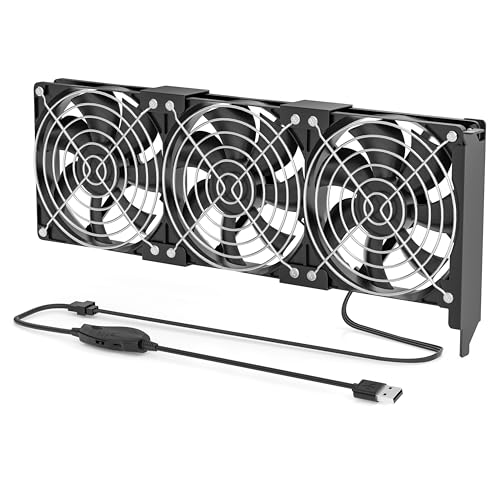
Graphics Card Cooling Fan, 3X 92mm Quiet Fans with 4-Pin to USB Speed Control, for GPU, Server Card, Graphics Card, Video Card, VGA Cooling
- Durable and Compact Design: Built with high-quality materials for longevity
- Wide Compatibility: Suitable for GPUs and server hardware
- Adjustable Fan Speed: 1500–3000 RPM for customized airflow
As an affiliate, we earn on qualifying purchases.
As an affiliate, we earn on qualifying purchases.
Remaining Questions About Long-Term Effectiveness and Best Practices
While undervolting and airflow improvements are proven effective, the optimal settings and configurations vary between hardware models and workloads. Long-term effects of aggressive undervolting on hardware stability are still being studied, and some users report potential stability issues if not done carefully. The best cooling solutions for specific setups remain a matter of ongoing testing and user experience.

Thermal Grizzly WireView GPU – 1x8Pin PCIe Normal – GPU Power Consumption Measuring Device – PCIe Power Connector – Real Time Direct Monitoring – Made in Germany
- Real-Time Wattage Display: Instant GPU power draw in watts
- Multi-Value Screen: Displays W, V, A, min/max, and averages
- Peak Power Monitoring: Reveals load changes and power peaks
As an affiliate, we earn on qualifying purchases.
As an affiliate, we earn on qualifying purchases.
Next Steps for AI Workstation Optimization and Community Sharing
Users should experiment with undervolting and airflow adjustments tailored to their hardware, following detailed guides from experts. Hardware manufacturers may also release firmware updates or new cooling solutions designed for AI workloads. Community forums and professional networks will continue sharing best practices, and future research will refine these strategies for broader hardware compatibility.
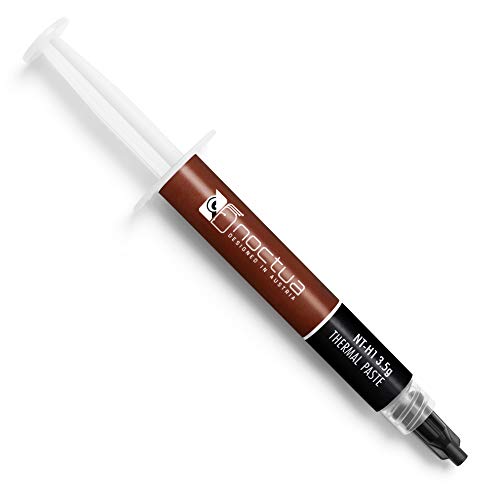
Noctua NT-H1 3.5g, High-Performance Thermal Paste
- Premium-Grade Thermal Compound: Optimal heat transfer with 150+ awards
- Easy Application and Cleaning: No spreading needed, clean with dry tissue
- Versatile Compatibility: Suitable for air and liquid coolers
As an affiliate, we earn on qualifying purchases.
As an affiliate, we earn on qualifying purchases.
Key Questions
Can undervolting harm my GPU?
Undervolting, if done carefully following expert guides, generally does not harm GPUs. However, aggressive undervolting beyond recommended levels may cause instability or crashes. Always test settings gradually and monitor system stability.
What cooling solutions are best for reducing noise?
High-quality air coolers, liquid cooling systems, and optimized case fans can significantly reduce noise. Proper airflow design and selecting fans with lower RPM at higher airflow are also effective strategies.
Is case airflow more important than cooling hardware?
Both are critical. Good case airflow ensures that heat is effectively removed from components, reducing fan workload and noise. Without proper airflow, even the best coolers cannot perform optimally.
How much can I expect to reduce heat and noise with these methods?
Proper undervolting and airflow improvements can cut GPU fan noise by 30-50% and reduce overall system temperatures significantly, leading to quieter operation and less thermal stress.
Are there any risks to modifying power limits or undervolting?
Risks include potential system instability or hardware crashes if settings are too aggressive. Follow detailed guides and test thoroughly to minimize these risks.
Source: ThorstenMeyerAI.com