A secondary backup NAS isn’t overkill if you have irreplaceable data like family photos, important documents, or creative work. It provides fast, local access for quick recovery, while also adding hardware redundancy with RAID. Combining it with cloud backups offers extra security against physical damage or theft. Investing in a secondary NAS helps protect your most valuable files and gives peace of mind—continue exploring to see how this layered approach can fit your needs.

Get hardware and tech essentials delivered free — and shop member deals
- Fast, free delivery on millions of items
- Access to Prime Big Deal Days deals on October 6–7
- Prime Video, Amazon Music and more included
Key Takeaways
- Critical data like family photos and documents require multiple backup layers for protection against loss or corruption.
- Local backups via a secondary NAS enable quick recovery, reducing downtime and minimizing disruptions.
- Hardware redundancy in NAS systems ensures data remains accessible even if a drive fails.
- Combining a secondary NAS with off-site cloud storage provides comprehensive protection against physical damage or theft.
- Investing in a secondary NAS offers cost-effective, strategic safeguarding of valuable digital assets.
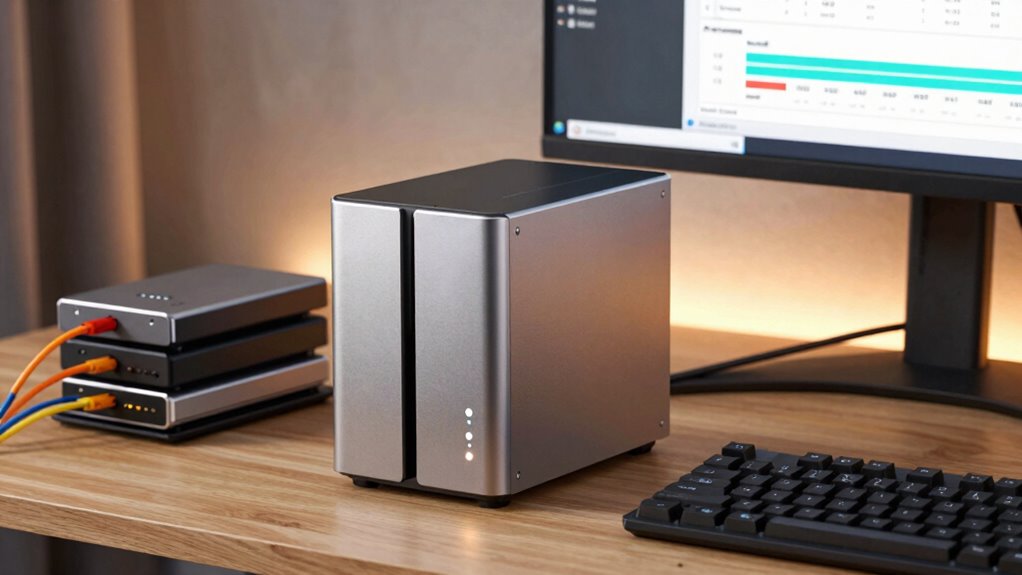
Are you prepared for data loss? If you rely heavily on digital files—whether for work, personal projects, or valuable memories—you should consider the significance of a secondary backup NAS. While some may see it as overkill, many users find it to be an essential safeguard. A secondary NAS acts as an extra layer of protection, especially when paired with strategies like cloud storage and hardware redundancy. Cloud storage provides off-site backup, guaranteeing your data remains safe even if your physical hardware is compromised. However, cloud services alone might not be enough. They can be slow to restore large files, have ongoing costs, or face outages. That’s where a secondary NAS comes into play, offering fast local access and control over your backups.
Having a secondary backup NAS means you’re not putting all your eggs in one basket. If your primary NAS fails due to hardware issues or a cyberattack, this secondary device can quickly step in to restore your data. Hardware redundancy built into your NAS system—like multiple drives configured in RAID—further reduces the risk of data loss. When combined with a secondary NAS, it creates a resilient backup infrastructure. You can set up automated, scheduled backups from your primary device to the secondary one, ensuring your most recent files are protected without manual intervention. This setup minimizes downtime and keeps your workflow uninterrupted.
A secondary NAS with RAID and scheduled backups ensures quick recovery and uninterrupted workflow.
Many users underestimate the potential for hardware failure or accidental deletion. Implementing effective backup strategies can significantly mitigate these risks. By maintaining a secondary backup NAS, you’re proactively addressing these risks. It’s especially essential if your data is irreplaceable or critical, such as family photos, business documents, or creative work. The real value lies in the speed and convenience of restoring files from a local device rather than waiting for cloud downloads. Plus, having a secondary NAS allows you to implement different backup strategies—like snapshot backups or versioning—to further safeguard against corruption or ransomware. Additionally, considering electric bikes and their varying power and speed capabilities can inspire you to choose reliable hardware that meets your backup needs. Recognizing hardware redundancy as a key component can help ensure your data remains protected even in the face of multiple drive failures. Furthermore, understanding the importance of cloud storage can provide an added layer of security and flexibility for your backup plan. Incorporating off-site backups into your strategy offers an extra layer of protection against physical damage or theft.
Some may argue that investing in an additional NAS is unnecessary or costly, but when you weigh that against the potential loss of important data, it becomes a wise decision. Cloud storage and hardware redundancy are excellent components of an extensive backup plan, but they’re most effective when complemented by a secondary physical device. For many users, this layered approach provides peace of mind, knowing that their data is protected from multiple angles. Ultimately, a secondary backup NAS isn’t overkill; it’s a smart, strategic choice for those who value their digital assets and want to guarantee their safety no matter what.
As an affiliate, we earn on qualifying purchases.
Frequently Asked Questions
How Much Does a Secondary Backup NAS Typically Cost?
A secondary backup NAS typically costs between $300 and $1,000, depending on capacity and features. You’ll want to take into account data redundancy options and your backup frequency needs. Higher-capacity models with advanced redundancy tend to be pricier but guarantee your data stays safe even if one drive fails. Balancing cost with your backup frequency and data importance helps you choose the right setup without overspending.
What Are the Best Brands for Secondary Backup NAS Devices?
Think of brands like Synology, QNAP, and Western Digital as sturdy guardians for your data fortress. They lead the pack in data redundancy and device compatibility, ensuring your backups stay safe no matter what. These brands offer reliable, user-friendly secondary backup NAS devices that adapt seamlessly to various systems. Choosing one means you’re investing in a trusted shield, giving you peace of mind knowing your data remains protected and accessible.
How Often Should I Update My Secondary NAS Backups?
You should update your secondary NAS backups regularly, ideally using a consistent backup schedule. How often depends on your data change rate; for most users, weekly or daily updates work well. Focus on data synchronization to guarantee your backups stay current, reducing data loss risk. Automate your backup scheduling to maintain reliable, up-to-date copies without manual effort, giving you peace of mind and protecting your valuable data.
Can a Secondary NAS Help With Remote Data Access?
A secondary NAS can definitely help with remote data access by allowing you to connect securely from anywhere. It enables seamless data synchronization across multiple locations, ensuring your files stay up-to-date. You can access important data remotely without relying on third-party cloud services, giving you more control. This setup enhances productivity and data security, especially if you frequently work remotely or need reliable off-site backups.
What Are Common Challenges in Managing Multiple NAS Devices?
Picture syncing your data like a delicate dance—cloud synchronization can sometimes trip you up if connections falter, and managing multiple NAS devices demands attention to power consumption. You might face challenges keeping firmware updated across devices or ensuring seamless access without conflicts. Balancing these factors requires careful planning, so you avoid data loss or excessive energy use, ultimately making your multi-NAS setup smooth and reliable.
As an affiliate, we earn on qualifying purchases.
Conclusion
A secondary backup NAS might seem unnecessary, but it’s really about peace of mind. Think of it as having a safety net—you hope you don’t need it, but you’ll be glad it’s there if trouble strikes. Don’t wait for data loss to realize the value. Investing in a second NAS isn’t overkill; it’s smart protection, giving you confidence that your important files are secure, no matter what.
As an affiliate, we earn on qualifying purchases.
As an affiliate, we earn on qualifying purchases.
Fall Picks
fall essentials
As an affiliate, we earn on qualifying purchases.