
TL;DR

Get hardware and tech essentials delivered free with Prime
- Fast, free delivery on millions of items
- Prime Video, Amazon Music and more included
- Member-only deals all year
A hardware crypto wallet is a physical device designed to protect the private keys that authorize cryptocurrency transactions, usually by signing them while the keys stay offline. It does not hold coins or prevent every loss: your recovery phrase, transaction checks, device setup, and supported apps all matter. Before using one, learn how recovery works and verify transaction details on the device itself.
A hardware crypto wallet can sit in your palm while the funds it controls remain recorded across a blockchain network. That distinction matters: the device protects private keys, the digital credentials that authorize transactions. If someone gets the keys, they may be able to move the funds, even if the wallet itself never leaves your desk.
This guide explains how signing works, what a recovery phrase does, and which risks a small offline device can and cannot reduce. You’ll also get a practical way to think about compatibility and transaction checks before you rely on a wallet for everyday transfers or long-term storage.
These details matter because self-custody shifts responsibility to you. There may be no provider who can reverse a mistaken transfer or restore a lost recovery phrase. Crypto prices can also change sharply, and you can lose money; this is general information, not financial advice.
A hardware wallet protects keys used to authorize transactions; your coins remain recorded on their blockchains.
Check the destination, amount, and network on the wallet’s own screen before approving a transfer.
Store your recovery phrase offline and privately; anyone who gets it may be able to take control of the wallet.
Confirm the exact coin, network, and compatible app before sending funds.
Pick a recovery plan you can follow, and remember that self-custody does not remove volatility or the risk of loss.
Understand What the Device Protects Before You Set It Up
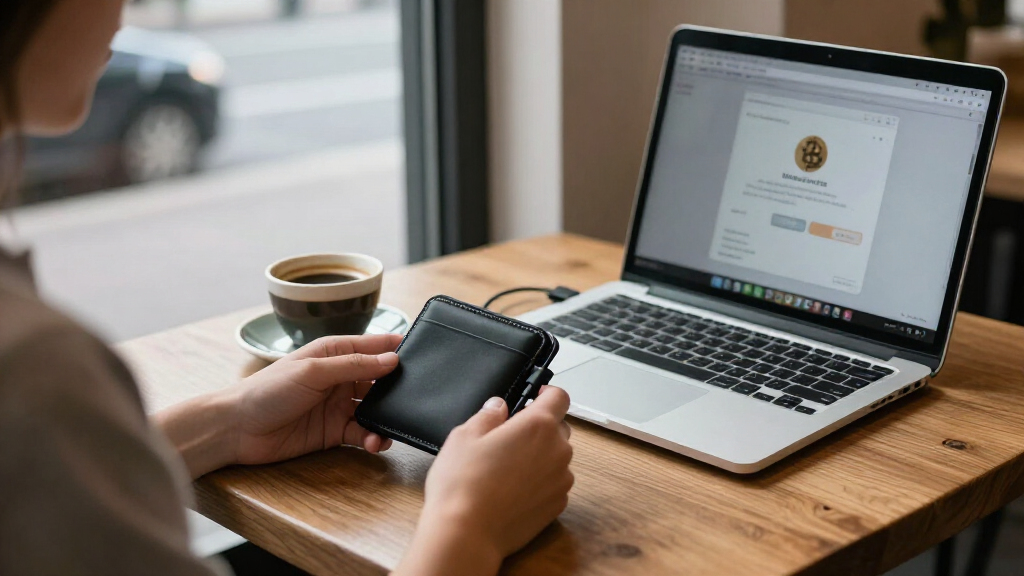
A hardware crypto wallet protects the private keys used to authorize cryptocurrency transfers, usually by keeping them offline and signing transactions inside the device. It does not contain your coins: the blockchain records balances and transactions. Think of it like a key that can authorize a payment, while the public ledger records that payment.
For example, if you send a small amount of a token to a friend, your wallet app prepares a transaction and passes it to the device. The device signs it with a private key, then sends the signed result back to your phone or computer to broadcast. Your key need not appear on the connected screen.
This is why the phrase physical device designed to protect keys describes the job more accurately than “a place that stores coins.” A hardware crypto wallet can lower exposure to malware that targets keys on an internet-connected computer. But it cannot stop you from approving a transfer to the wrong address, signing a harmful request, or losing your backup.
In everyday use, that distinction helps set expectations. A device may keep a thief from simply copying a key off your laptop, yet a convincing phishing message could still trick you into revealing your recovery phrase. Hardware crypto wallets protect one important part of self-custody; they do not make every part safe automatically.
Products Worth Considering

Ledger Flex + Folio Crypto Hardware Wallet

Trezor Safe 5 Crypto Hardware Wallet with Color Touchscreen

Trezor Safe 7 Crypto Hardware Wallet with Bluetooth and Color Touchscreen
As an affiliate, we earn on qualifying purchases.
Follow the Transaction From Your Phone to the Wallet Screen
A hardware crypto wallet usually works by signing a transaction on the device, then returning the signature to a connected app for broadcast. The private key stays on the wallet while the signed transaction travels to your phone or computer. That separation is useful only if you check what the device is being asked to sign.
Imagine a laptop infected with malware. The app might show a destination address that looks familiar while preparing a transfer to an attacker’s address. The wallet’s own screen is your last independent check: read the destination and amount there before approving. A computer display alone may be misleading if the computer has been compromised.
A typical transfer follows these steps:
- Prepare the transaction in a compatible app, including the network and destination address.
- Review the amount, fees, network, and address shown on the hardware wallet’s screen.
- Approve only if those details match your intention; the device signs the transaction.
- Broadcast the signed transaction through the connected app and check its status.
For a first transfer, you might send a modest test amount and confirm it arrives before sending more. A test transfer adds fees and does not remove risk, but it can help catch a copied address or wrong network before a larger transaction. Clear signing, which shows readable transaction details, can help; support varies across apps and networks.
Make Your Recovery Phrase a Backup, Not a Second Password
A recovery phrase is a set of words—often 12 or 24—that can restore access to the keys associated with a wallet. Someone who gets the phrase may be able to restore the wallet and move its funds without holding the original device. Treat it like the master key to your digital assets.
During setup, the device may display the words once and ask you to confirm them. Write them down carefully and store the backup offline in a private place you can find later. For example, a paper copy locked away at home is less exposed to online theft than a photo in cloud storage, though paper can still be damaged by water, fire, or careless handling.
Never enter the phrase into a website, chat, email, or unsolicited support form. A person posing as customer support may claim they need it to fix a problem. They do not: anyone asking for the full phrase is asking for the keys. A device PIN can restrict access to the device, but it does not replace the recovery phrase or protect a copy of that phrase stored elsewhere.
Recovery also depends on getting the backup right. A missing, mistyped, exposed, or incompatible phrase can create serious problems. Before storing significant funds, learn the maker’s recovery instructions and understand how you would restore the wallet if it broke. A backup you cannot locate in an emergency is like a spare key buried under snow.
Compare the Risks You Take With Self-Custody
Hardware wallets can reduce the risk of online key theft, while self-custody makes you responsible for keeping backups safe and using the device correctly. An exchange account, a software wallet, and a hardware wallet each put different risks in different places. No option removes price volatility, mistaken transfers, or the possibility of losing money.
Consider a person who keeps a small spending balance in a phone wallet but uses a separate hardware wallet for savings. That arrangement may fit their habits, but it adds another recovery plan to maintain. Someone who forgets where the backup is could struggle to access funds after a device failure, even if the wallet performed exactly as designed.
| Choice | What it can offer | What you still manage |
|---|---|---|
| Exchange account | Convenient account access and provider support options | Account security, provider policies, and whether withdrawals are available |
| Software wallet | Quick access from a phone or computer | Device security, recovery phrase safety, and transaction checks |
| Hardware wallet | Offline key protection and on-device approval | Physical security, phrase backup, compatible apps, and approvals |
Self-custody means responsibility, not guaranteed protection. Providers may not be able to reverse an unauthorized transfer or restore a lost phrase. Country rules, exchange practices, and consumer protections vary. Compare the practical workload with your own ability to keep records private and follow recovery steps reliably.
Check Coin Support and Connectivity Before You Rely on a Wallet
A hardware crypto wallet supports only the assets, networks, and apps that work with its software. A product page saying it “supports” a coin may mean you need a third-party wallet app to view or manage it. Confirm the exact network and app combination you plan to use before sending funds. Support is a chain of dependencies: the device must sign the right transaction, the app must construct it correctly, and the receiving service must recognize that network. A gap at any point can leave you unable to use or readily locate the asset.
For example, a token can exist on more than one blockchain. If you choose a network that the receiving app does not support, the transfer may not appear where you expect or may be difficult to recover. Think of networks as separate delivery routes: the name on the package can match, but the route still needs to reach the right destination. Checking the network before sending is therefore as important as checking the token name; an address that looks valid does not prove the receiving service can handle that route.
Devices may connect through USB-C, Bluetooth, or NFC, and wireless access does not automatically make a wallet unsafe. The connection carries data, while the device’s security design and your approval determine what happens to the keys and transaction. Still, learn what the connection does and verify sensitive details on the wallet’s trusted display. A companion phone app can make everyday use easier, but convenience cannot replace address and network checks.
Setup quality also matters. Follow the maker’s instructions, obtain the device from the manufacturer or an authorized seller to reduce some supply-chain risks, and treat an unexpected prewritten recovery phrase as suspicious. Firmware updates can address product changes, but use the official update process and protect your recovery phrase throughout. Support for staking, NFTs, and decentralized apps varies, and some requests may display details that are hard to interpret. If a request cannot be understood on the device screen, you may be approving an action whose effect is unclear; pause and check the app’s documentation before signing.
Choose a Setup You Can Maintain When Something Goes Wrong
The most useful wallet setup is one you can operate and recover correctly, including when a device is lost, broken, or replaced. Compare recovery method, supported apps, ease of use, and transparency before choosing. These are connected decisions: a recovery method only helps if you can perform it, and supported apps matter because a replacement device still needs a compatible way to access the same assets. More features can help with a particular task, but they can also create more steps to remember and more chances to make a mistake.
Suppose you run a small business with two people who approve payments. A multisignature setup can require several keys before a transfer goes through, reducing dependence on one person or device. The benefit is resilience: losing one key or having one person act alone may not be enough to move funds. The tradeoff is coordination and recovery complexity. If you lose track of where each key sits, who can use it, or how to restore the arrangement, the extra checks can become an access problem. A solo user may prefer a simpler arrangement they can test and maintain.
Newer approaches, including passkey-based or distributed backups, aim to make recovery easier. They can reduce the burden of protecting one handwritten phrase, but may add trust in an account, provider, or extra device. Open-source software can allow public review, while secure elements aim to resist tampering; these features address different parts of security. Neither alone proves that the device in your hand is safe or that all parts of its supply chain match expectations. Look at how the complete setup is maintained and recovered, not at one feature in isolation.
Before relying on a setup, read the recovery instructions and make sure you understand them. The device can fail without losing access if you have an intact, compatible phrase. If a manufacturer shuts down, access may depend on whether compatible software and recovery methods remain available; check the documented standards and supported apps rather than assuming. A recovery plan should be practical under stress: you need to know where the backup is, what device or software can restore it, and which steps to follow. Use an amount and arrangement whose risks you understand. Crypto values can swing sharply, and a wallet does not insure you against market losses.
Frequently Asked Questions
Does a hardware wallet contain my coins?
No. Your assets remain recorded on their blockchains; the wallet protects the private keys that authorize transactions. It is closer to a key than a miniature vault of coins.
What happens if I lose or break the device?
You may be able to restore access with an intact, compatible recovery phrase on a replacement device or supported wallet app. If the phrase is lost or recorded incorrectly, recovery may not be possible. Learn the recovery steps before you depend on them.
Can someone steal my crypto if they take the device?
A PIN may restrict access to the device, but it does not protect a recovery phrase that someone else has found. Keep the phrase separate and private, and do not assume that a PIN makes every kind of theft impossible.
How do I know a transaction is going to the right address?
Compare the destination address, amount, and network shown on the hardware wallet’s own screen with what you intended. A compromised computer or phone can show misleading details, so check the device before approving. For a new destination, a small test transfer may help catch mistakes, though it adds a fee.
Is Bluetooth safe for a hardware wallet?
Bluetooth does not automatically make a wallet unsafe, but you should understand how the device communicates and follow its setup guidance. Keep verifying transaction details on the device’s trusted display. The wireless connection does not remove the need to protect your recovery phrase or review approvals.
Conclusion
Remember the simple rule: protect the phrase, check the device screen, and learn recovery before you need it. A hardware crypto wallet can keep private keys away from many online threats, but a rushed approval or lost backup can still cost you access.
Make your first transfer small enough to check calmly. Keep your backup somewhere safe and private. The device may fit in your pocket; the responsibility travels with you.